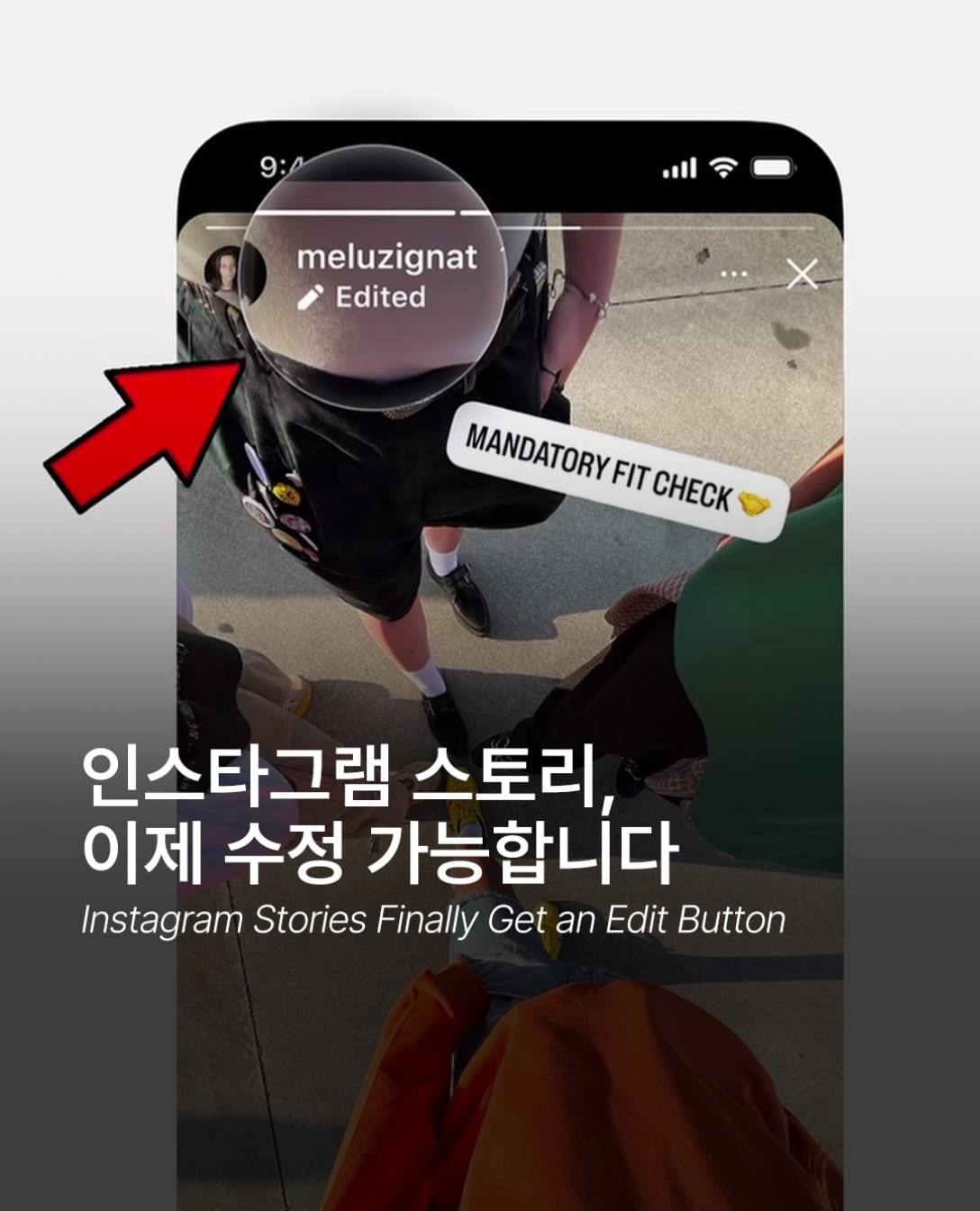
Instagram Stories now have an edit function. If you spot a typo after posting, there's no need to delete and re-upload. Tap the menu at the bottom right of a posted Story and select "Edit Story" to change text, music, stickers and drawings. Edits are only possible within 15 minutes of posting. The revised Story displays an "Edited" label.
Views and reactions gathered before the edit remain intact. This means you no longer lose early engagement during the delete-and-repost cycle. The short editing window suggests the feature is designed for quick corrections rather than major revisions. It preserves the immediacy of Stories while allowing room to fix mistakes.
The feature is rolling out gradually. If the option doesn't appear in your menu yet, you'll need to wait a little longer. Full deployment to all users can take anywhere from days to weeks. Major Instagram updates typically follow this phased release pattern.
Stories are short-form content posted in quick bursts. Mistakes happen often, and deleting and re-uploading was always a hassle. This update reduces that friction. How often do you catch a typo after posting a Story?
Views and reactions gathered before the edit remain intact. This means you no longer lose early engagement during the delete-and-repost cycle. The short editing window suggests the feature is designed for quick corrections rather than major revisions. It preserves the immediacy of Stories while allowing room to fix mistakes.
The feature is rolling out gradually. If the option doesn't appear in your menu yet, you'll need to wait a little longer. Full deployment to all users can take anywhere from days to weeks. Major Instagram updates typically follow this phased release pattern.
Stories are short-form content posted in quick bursts. Mistakes happen often, and deleting and re-uploading was always a hassle. This update reduces that friction. How often do you catch a typo after posting a Story?
FAQ
How long do I have to edit an Instagram Story?
Instagram Stories can only be edited within 15 minutes of posting. After that window closes, you can no longer modify text, music, stickers, or drawings.
Do I lose views if I edit a Story?
No. Editing a Story preserves all accumulated views and reactions. Unlike deleting and re-uploading, the edit feature protects your early engagement.
Why don't I see the Instagram Story editing feature yet?
Instagram is rolling out the Story editing feature gradually. If it's not in your menu yet, it should become available within days to weeks.